• Blog
    • Latest Posts
    • News
    • Featured Videos
    • Deals
  • About
  • Camera User Groups
    • ARRI
      • User Videos
      • News & Deals
      • Related Posts
    • Blackmagic
      • User Videos
      • News & Deals
      • Related Posts
    • Canon
      • Canon Cinema EOS
        • User Videos
        • News & Deals
        • Related Posts
      • Canon 5D Mark III/IV
        • User Videos
        • News & Deals
        • Related Posts
      • Canon Rebel/70D/80D
        • User Videos
        • News & Deals
        • Related Posts
    • Panasonic
      • Panasonic GH5
        • User Videos
        • News & Deals
        • Related Posts
      • Panasonic GH4
        • User Videos
        • News & Deals
        • Related Posts
      • Panasonic GH3
        • User Videos
        • News & Deals
        • Related Posts
    • Sony
      • Sony a7-Series
        • User Videos
        • News & Deals
        • Related Posts
      • Sony CineAlta
        • User Videos
        • News & Deals
        • Related Posts
      • Sony PXW-FS7
        • User Videos
        • News & Deals
        • Related Posts
      • Sony PXW-FS5
        • User Videos
        • News & Deals
        • Related Posts
      • Sony NEX-FS700
        • User Videos
        • News & Deals
        • Related Posts
      • Sony NEX-FS100
        • User Videos
        • News & Deals
        • Related Posts
      • Sony NEX-VG10/20/30
        • User Videos
        • News & Deals
        • Related Posts
    • Z CAM
      • User Videos
      • News & Deals
      • Related Posts
    • RigShots
  • VR
    • Daily Digest
    • Videos IN VR
    • Videos ON VR
    • Latest Posts
    • News & Deals
  • DOCOFILM
    • Newsletter
    • Latest News
    • Featured Videos
  • Essays on Film
  • Adobe Premiere Tips
Menu
  • Blog
    • Latest Posts
    • News
    • Featured Videos
    • Deals
  • About
  • Camera User Groups
    • ARRI
      • User Videos
      • News & Deals
      • Related Posts
    • Blackmagic
      • User Videos
      • News & Deals
      • Related Posts
    • Canon
      • Canon Cinema EOS
        • User Videos
        • News & Deals
        • Related Posts
      • Canon 5D Mark III/IV
        • User Videos
        • News & Deals
        • Related Posts
      • Canon Rebel/70D/80D
        • User Videos
        • News & Deals
        • Related Posts
    • Panasonic
      • Panasonic GH5
        • User Videos
        • News & Deals
        • Related Posts
      • Panasonic GH4
        • User Videos
        • News & Deals
        • Related Posts
      • Panasonic GH3
        • User Videos
        • News & Deals
        • Related Posts
    • Sony
      • Sony a7-Series
        • User Videos
        • News & Deals
        • Related Posts
      • Sony CineAlta
        • User Videos
        • News & Deals
        • Related Posts
      • Sony PXW-FS7
        • User Videos
        • News & Deals
        • Related Posts
      • Sony PXW-FS5
        • User Videos
        • News & Deals
        • Related Posts
      • Sony NEX-FS700
        • User Videos
        • News & Deals
        • Related Posts
      • Sony NEX-FS100
        • User Videos
        • News & Deals
        • Related Posts
      • Sony NEX-VG10/20/30
        • User Videos
        • News & Deals
        • Related Posts
    • Z CAM
      • User Videos
      • News & Deals
      • Related Posts
    • RigShots
  • VR
    • Daily Digest
    • Videos IN VR
    • Videos ON VR
    • Latest Posts
    • News & Deals
  • DOCOFILM
    • Newsletter
    • Latest News
    • Featured Videos
  • Essays on Film
  • Adobe Premiere Tips

Category: FocusPulling Original

08 March 2017

A Guide to Vimeo’s New Virtual Reality (VR) 360 2D/3D Video Support

Written by Paul Moon

Vimeo seems to be on a tear these days. They finally got their Android app up to snuff last year, and now they’ve added virtual reality (VR) capability to their platforms. Another way of looking at it is, they’ve finally caught up to YouTube.  But here, I’ll make some distinctions and try to map out what we can expect from this exciting new feature.

Generally speaking, Vimeo wins filmmakers’ hearts in comparison to YouTube for a few reasons.  First and most important, their video compression codecs are simply better.  Naturally, in order to manage the upload traffic and storage at YouTube that’s orders of magnitude more than at Vimeo, YouTube videos simply look bad because they skimp on storage space.  (Sidebar:  it’s a well-known secret that if you render your footage into a 4k-UHD file, even if your target resolution or source camera resolution was 1080p, then when you upload it to YouTube, 1080p playback looks much, much better than if you just uploaded a 1080p file straight up.)  Another gigantically better feature at Vimeo is the ability to upload a newer version of a video file at any time, without losing the original URL (i.e., without breaking the link that’s already disseminated onto the Interwebs), and also without losing the existing play counts/likes/analytics/SEO.  At YouTube, even a tiny revision to your video makes you start from scratch.  Lastly, the simple fact is, there are less trolls and negativity in comments at Vimeo.  I don’t like politics, but can’t avoid noticing an irony:  that the official color of YouTube is red, and the official color of Vimeo is blue…

I’m excited about Vimeo adding VR capability because it’s something I’m tiptoeing into.  Problem is, the capture technology still stinks miserably.  It’s something I wrote about extensively in an article here, Five Reality Checks on Virtual Reality (and introducing: VRcine).  Please give it a look!  You’ll see that I wrote it on the occasion of creating a new community here called VRcine:  I felt like there was an unmet niche for reporting news, sharing samples and discussing VR from the perspective of cinematographers who are treating the new technology more as an art form than a marketing gizmo.  You can sign up for the newsletter here, like the Facebook page here, follow on twitter @VRcine here — and starting today:  join the Vimeo Group here.

Anyway, here’s how it works.  I’ve uploaded a sample, which is so far my favorite VR video that I’ve created (a live performance by the Washington Bach Consort, conducted by my good friend J. Reilly Lewis who untimely passed away last June).  Once you upload the file (up to 8k resolution), if it has metadata flagging the video as VR, Vimeo reads it and you’re mostly good to go.  However, you could still output a video file without that metadata flag, and manually verify the right settings.  It’s under the “Video file” sub-menu at any uploaded clip’s Settings.  In the screen grab above, I’ve emphasized the spot where you can toggle-on 360, and also clarify whether it’s “Monoscopic” (i.e., 2D) or “Stereoscopic” (i.e., 3D).  One thing I haven’t been able to test or verify — possibly troubling — is that the only stereoscopic option is “top/bottom layout.”  The simple problem is that the majority of 3D VR clips are actually in a left/right layout.  It remains to be seen whether this is a shortcoming that Vimeo plans to imminently address.  I’ve asked them.

Did you notice the “Advanced 360 settings” link?  It takes you to the above screen, where you can play back your uploaded clip and make adjustments to field of view and the pitch/yaw orientation.  This is superior to YouTube’s platform.  You can also see that, besides the Google Cardboard capability of using a headset and just turning your head (Oculus Rift and HTC Vive compatibility is coming soon), or clicking-and-dragging a mouse on the video frame to twirl around, you can also use your keyboard’s arrow keys.
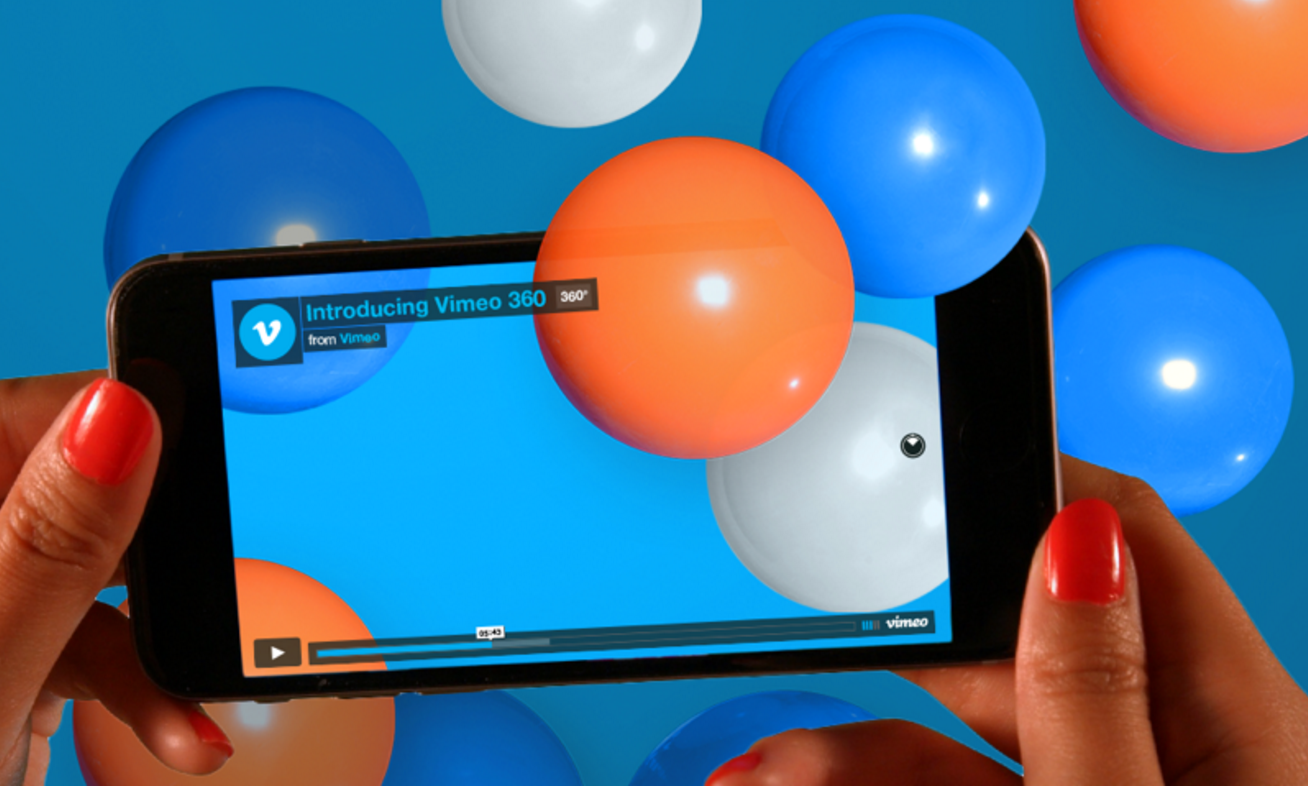
One of my biggest complaints about Vimeo was that they resisted updating their Android app for over a year, and it was practically useless with bugs and feature deficiencies.  (Their culture is clearly Apple-centric, built on the false and yet sorta true presumption that the creative world is all-Apple, even though smartphone penetration statistics show that iOS is a tiny minority of the world marketplace.)  That said, Vimeo has virtuously added VR capability to their Android app in tandem with their iOS app.  They don’t exactly deserve plaudits for being diligent that way, but it’s nice to see.

Isn’t this great?  Congrats to the Vimeo team for getting it together.  Now let’s all twirl and get motion sickness at better bitrates.

Here’s the link where Vimeo announced adding VR, and here’s their collection of blog posts teaching how to shoot VR.
March 8, 2017 FocusPulling Original, VRcine Leave a Comment
02 March 2017

Introducing the Blackmagic URSA Mini Pro

Written by Paul Moon

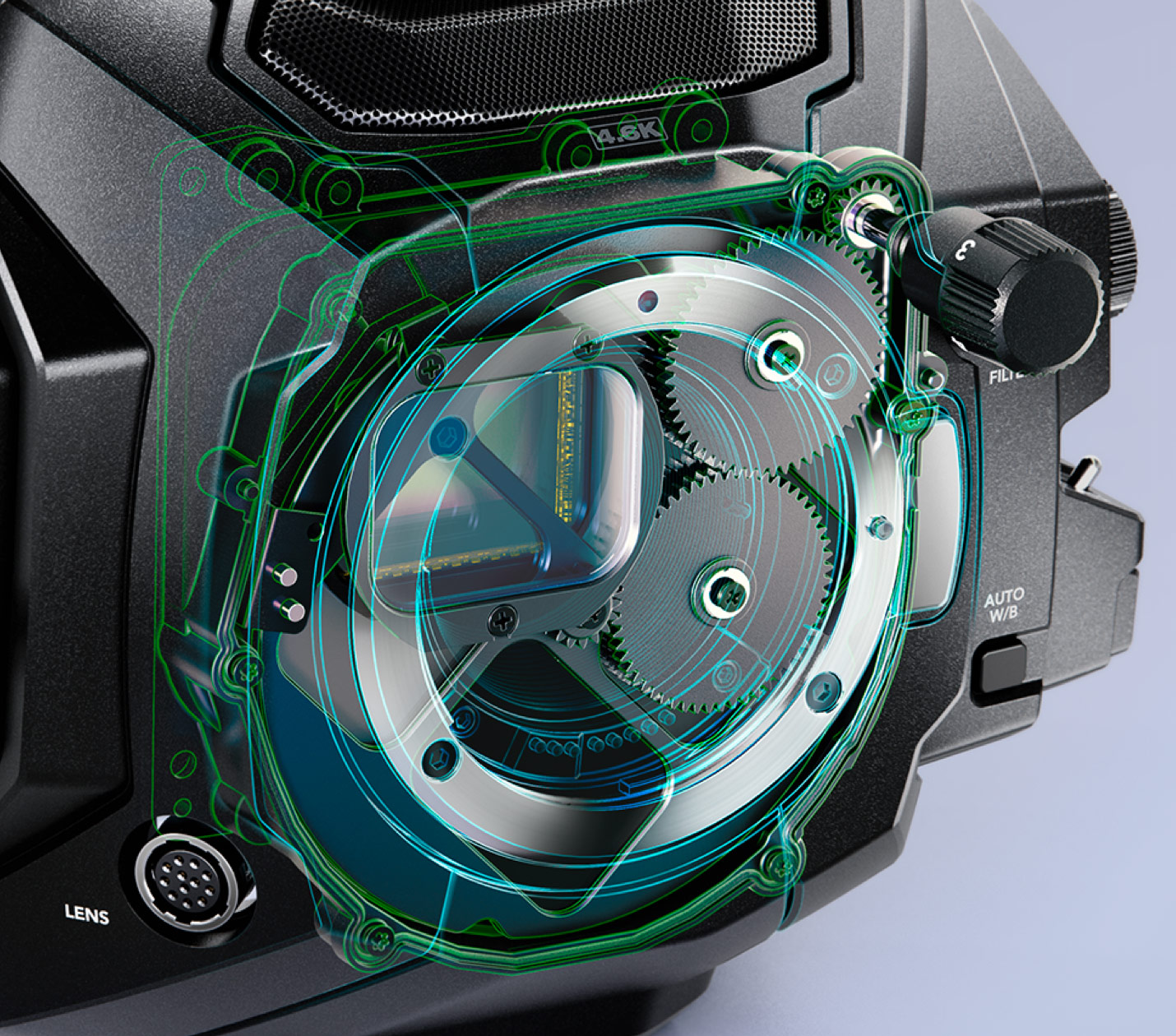
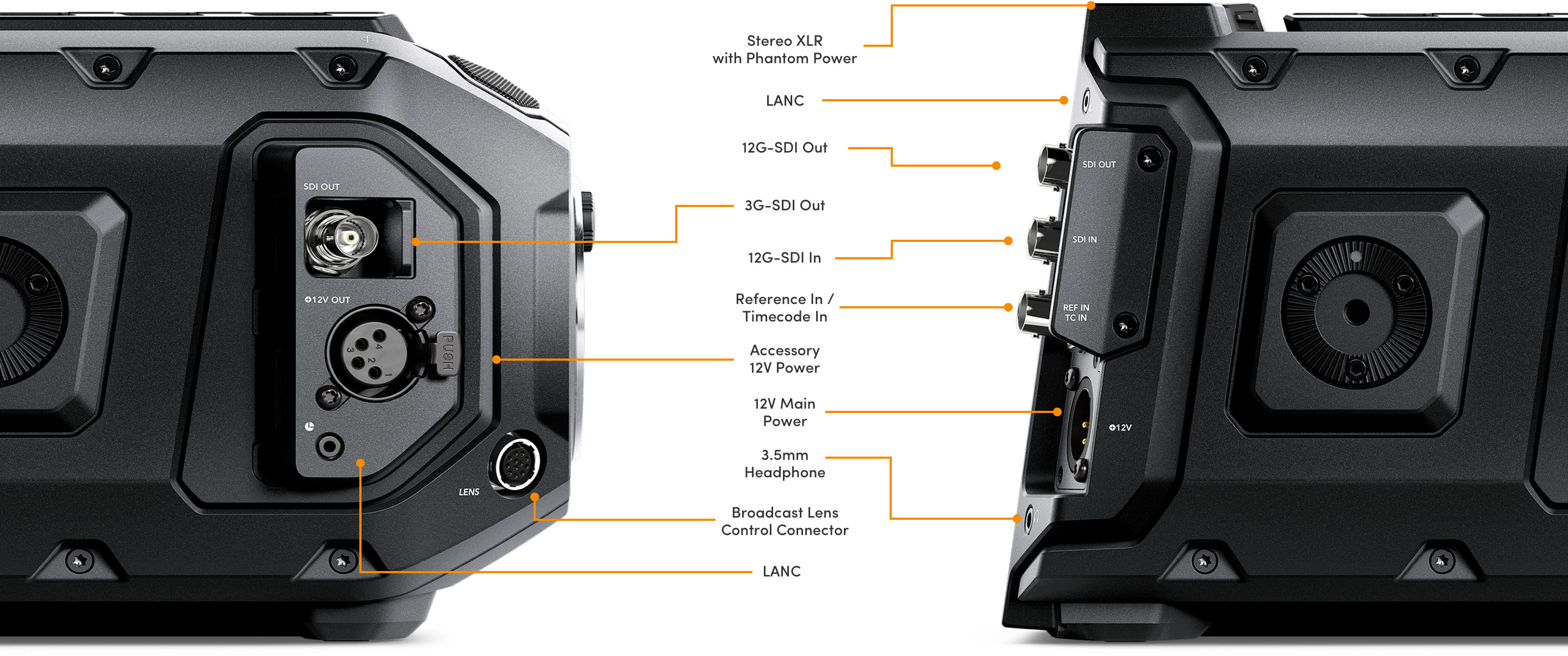
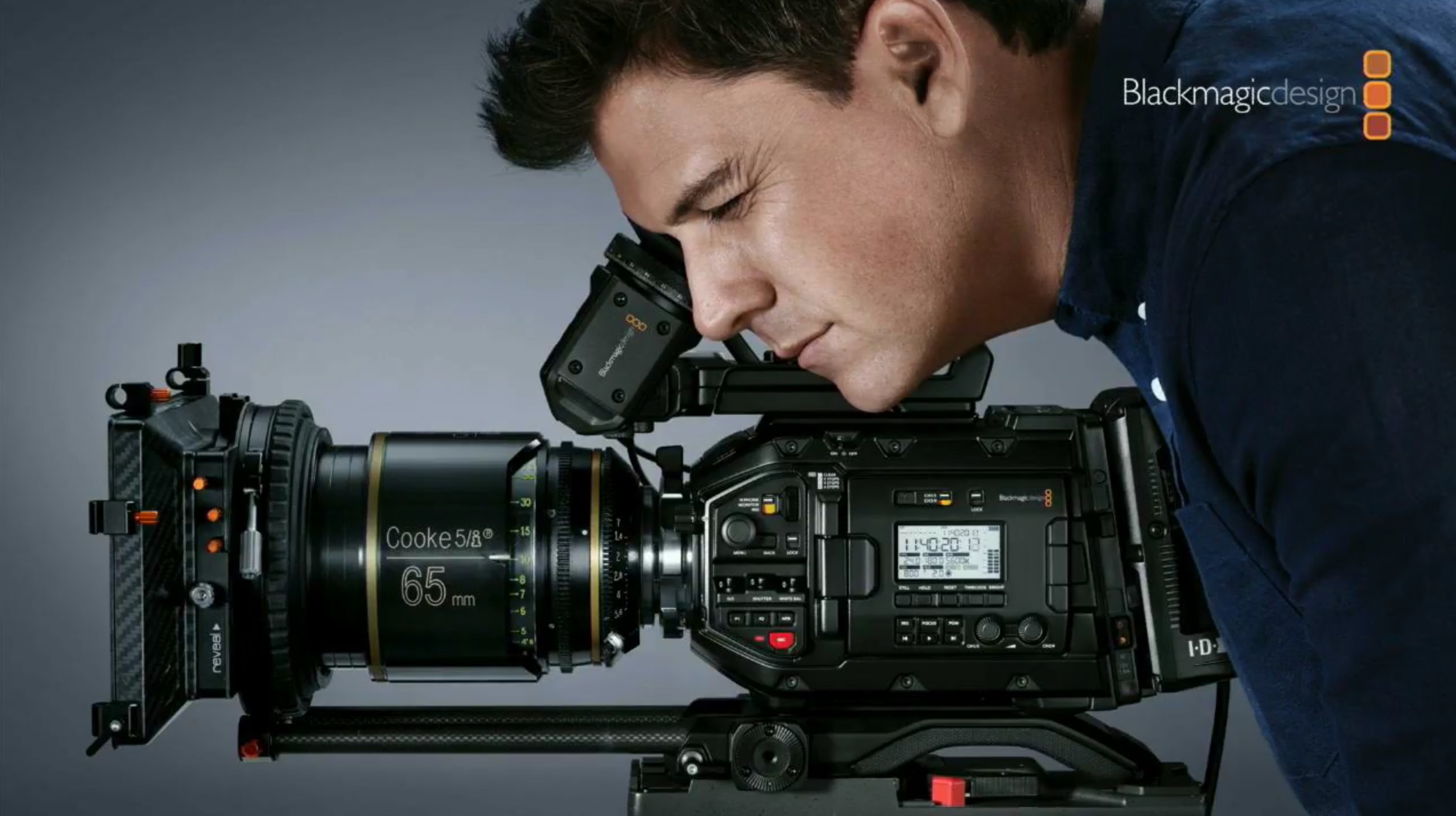
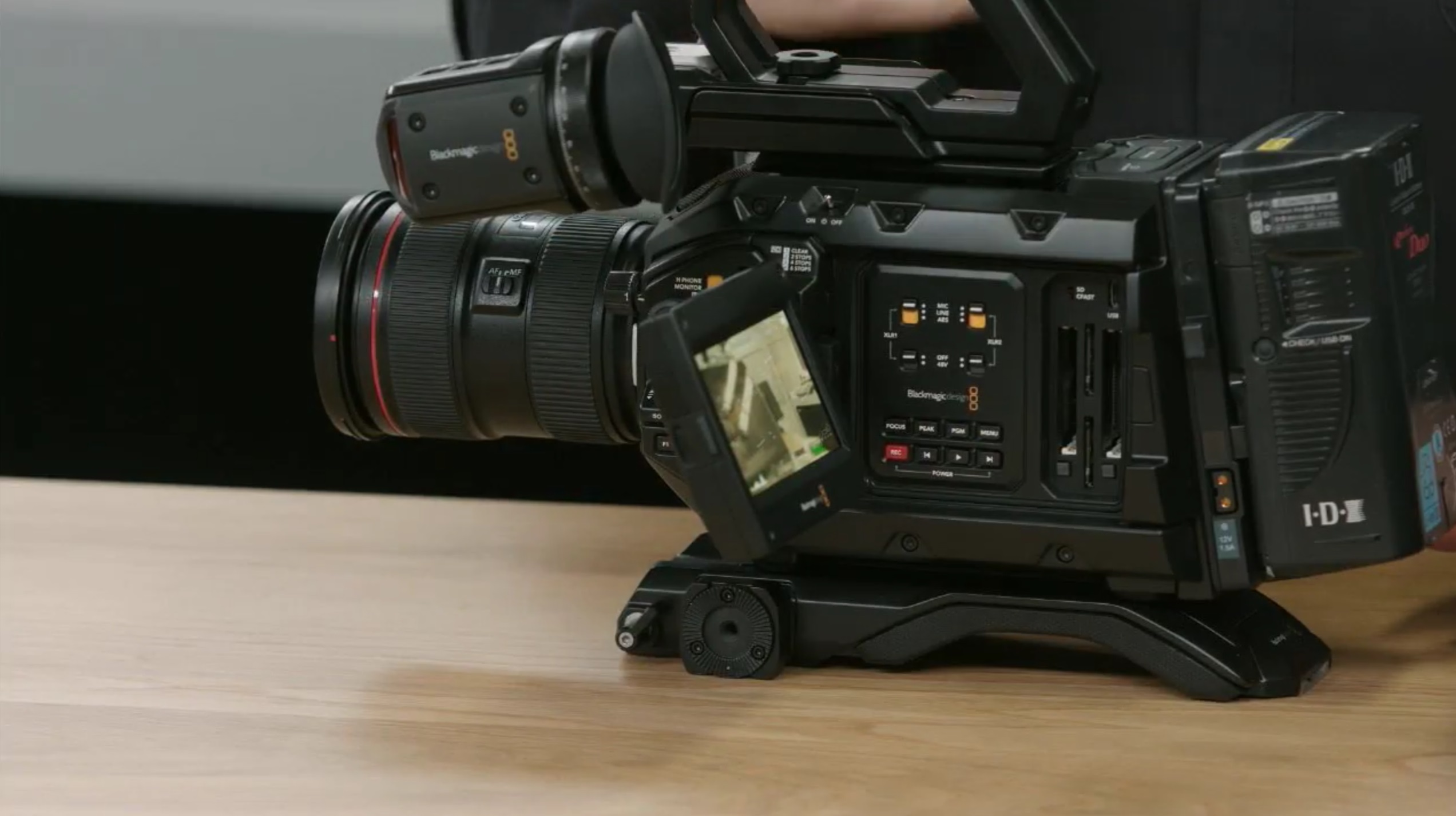
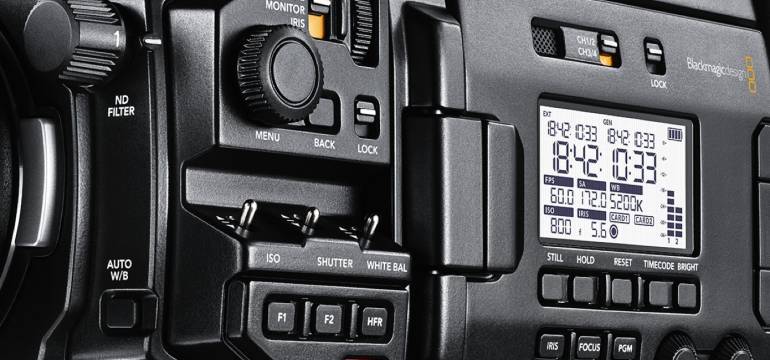
Blackmagic Design just introduced their new URSA Mini Pro, expected to become available on March 9 via this link in the United States, and/or this link in Europe. It combines their prior URSA Mini 4.6k with more broadcast camera features, and more manual controls. Here’s a summary of its key additions:

1. Three built-in ND filters
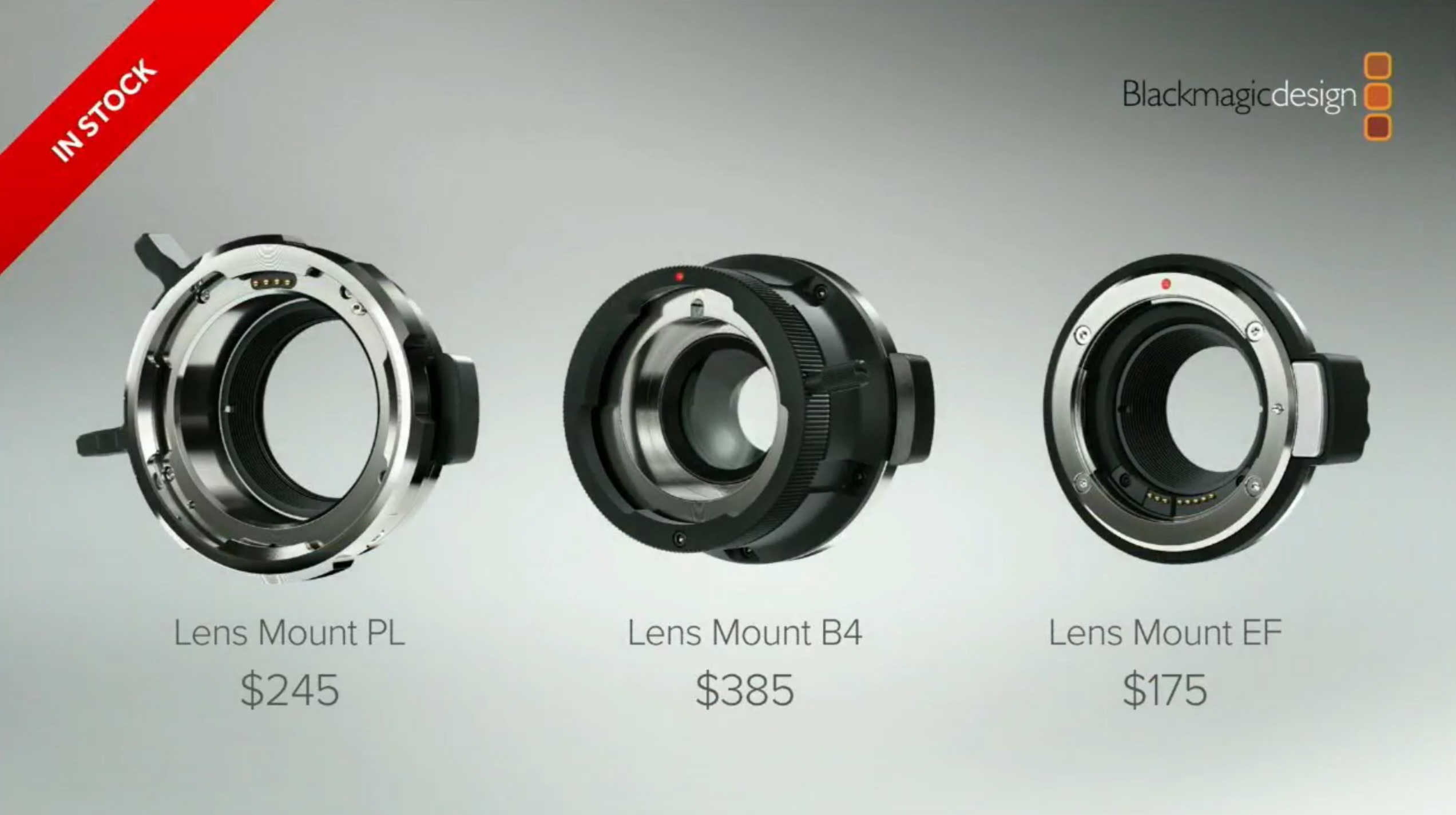
2. PL, B4, Canon EF and (coming soon) Nikon lens mounts
3. Physical on/off toggle switch
4. Auto white balance mode
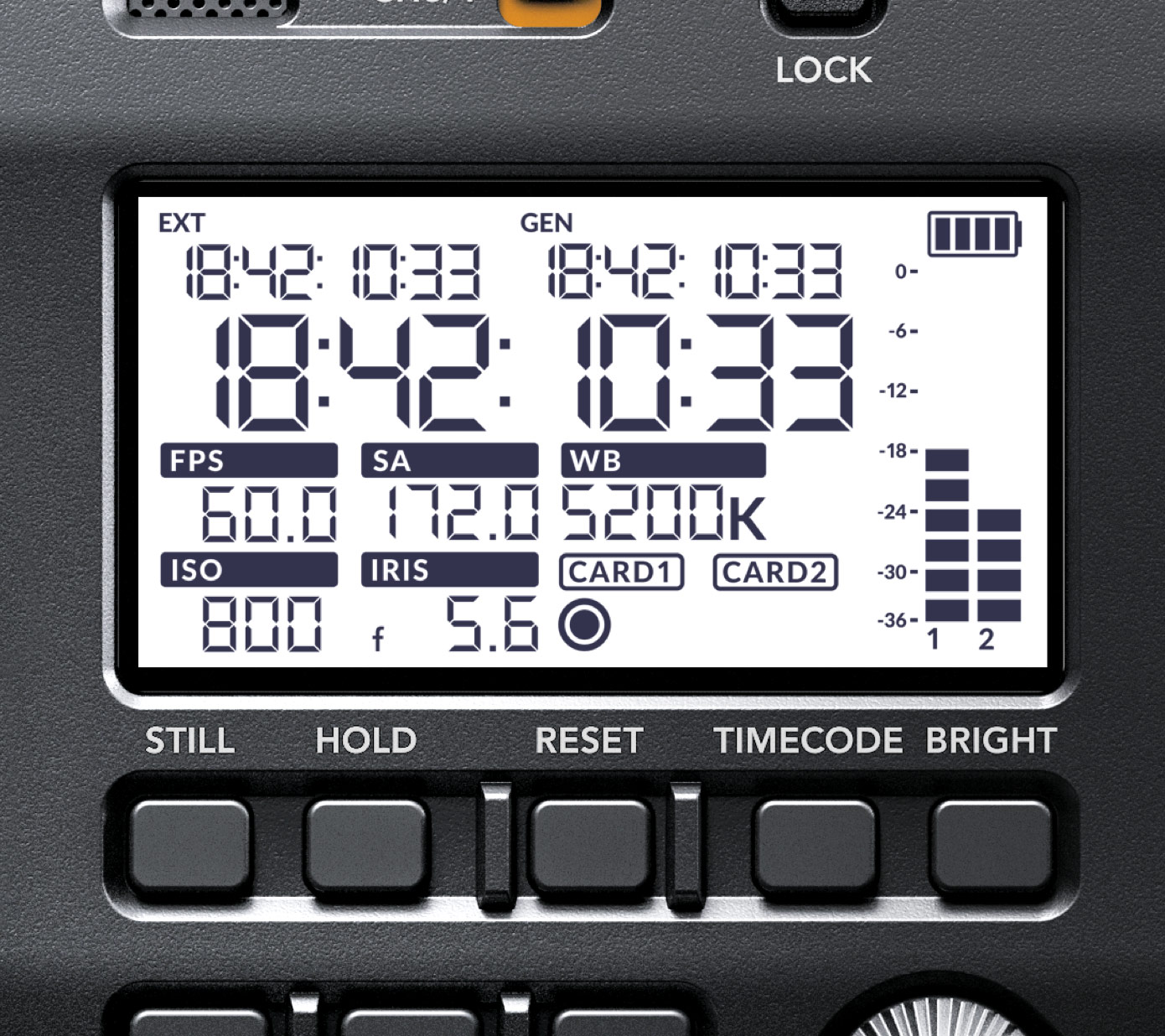
5. Black-and-white LCD on side panel
6. Still frame capture and audio channels 3 and 4 functions coming after beta testing
7. Redundancy for many of the most important buttons
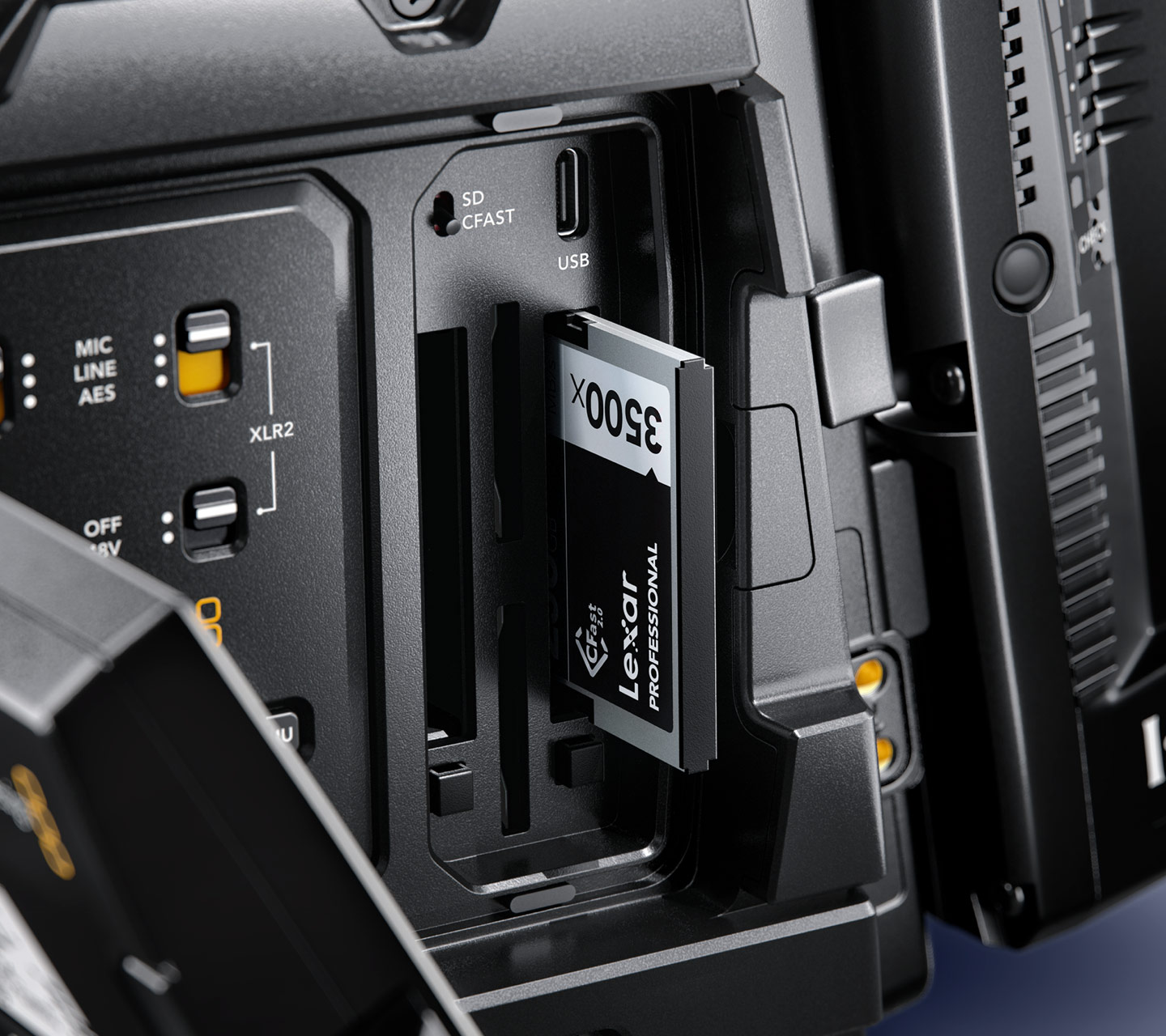
8. Both CFast and SD dual card slots (total of 4)
9. Costs $5,995 and is available now
10. URSA users can upgrade to this camera for $3,495

My initial thoughts:  these days the trend is towards continuously adjustable electronic ND filters, but having at least three neutral density choices in this camera is a nice feature (and seems more reliable as a physical element).  Apparently the Nikon mount will come mid-way into this year, but it’s an interesting new addition to the Blackmagic camera line-up to those who swear by that lens format which has direct aperture controls, and a flange distance that’s maximally compatible with other cameras.

I love the clever idea of adding an old-skool physical toggle switch for power!  It’s true, especially as these cameras get more sophisticated, you don’t want to hold down buttons and wait to confirm that the power-up sequence is really happening:  you just flip the URSA Mini Pro’s switch, go do other stuff, and rest assured it’s gonna get there!

That full-blown color LCD panel on the side of prior models always seemed like overkill (and sucking more battery life away, for minimal gains).  A monochrome LCD panel, which also can be seen in more lighting conditions including bright sunlight, is a great design evolution.  Back to the basics!

Adding two additional audio channels (3 and 4) will be a welcomed feature; not sure why they claim it needs “more beta testers,” but when it arrives, that will keep pace with the URSA Mini Pro’s competitors, including the Sony PXW-FS7 — while there’s a strong argument to be made that Blackmagic’s color science, and actual dynamic range in practice, are the best in the industry, especially better than Sony’s.  Also, a still frame grab button feature they mentioned in association with the forthcoming 3rd and 4th audio channels will be nice too, but nothing you can’t simply do in post where you’re more likely to do it with one click.

Blackmagic seems to want to carve a niche for itself as making the most durable cameras, including an all-metal design, and I like the thought of making multiple buttons control a single feature, for purposes of redundancy just-in-case.  This is the first time I’ve seen a manufacturer tout it as a feature, and literally deliver on it.

Because I’m a cheapskate and stubborn about adopting new standards when they’re unnecessary, perhaps the most exciting news (in comparison to the URSA Mini and URSA) is the addition of dual SD card slots, as an alternative to the still-bloated cost of using CFast cards (though they offer dual slots for that too).  Blackmagic Design warns that you’ll need UHS-II speed ratings for SD cards, and 4K RAW won’t be possible onto SD cards, but (let’s be honest) most Blackmagic users in practice actually shoot in ProRes, so the cost (and storage) savings of now being able to use SD cards for 4K-UHD is killer.

I wasn’t an original URSA buyer, but it seems really generous to me that Blackmagic offers this new $5,995 camera to verifiable URSA owners for only $3,495.  Blackmagic says that this camera is “available now” — a huge paradigm shift from prior behavior, when we waited for months! — and this B&H link says expected availability is March 9, so you can pre-order now to get it earliest; or maybe Adorama will deliver first; will see.  (European customers can order from CVP.com at this link.)

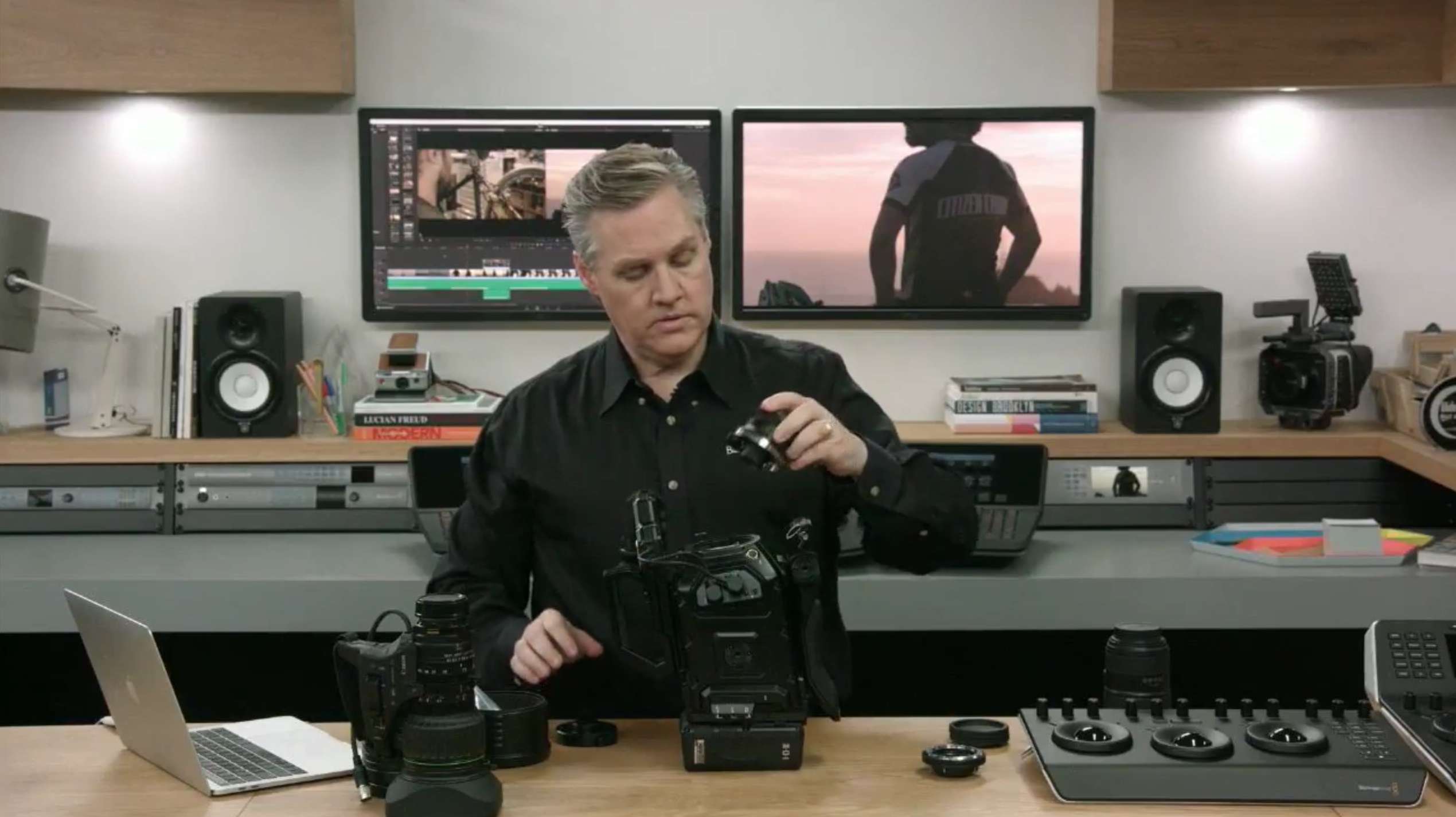
Keep watching our Blackmagic Cinema Camera User Group on Facebook and on Twitter @bmccusers for more information as it arrives!  Here’s the official page for the product at the manufacturer’s website.  And here’s my gallery of pictures from their live presentation:

March 2, 2017 Blackmagic Cinema Cameras, Camera User Groups, FocusPulling Original Leave a Comment
22 December 2016

Review of ShuttlePRO v2 Editing Controller

Written by Paul Moon

The creators of this product, Contour Design, are offering readers here an exclusive 20% discount off any purchase from their webstore using coupon code FP20 at: www.contourdesign.com/store

It’s a common insight that editing a film is where most of the magic happens; that it’s underestimated. Same thing goes for the gear you need in the editing suite.  I teach four sessions per year on how to edit with Adobe Premiere, and the first/best advice I’ve come up with is that productivity is all about screen real estate:  it’s crazy to work from a laptop screen, let alone just one monitor, when it’s so utterly cheap nowadays to grow your editing workspace by adding at least one extra monitor, for the cost of a few beers.  You can dedicate your primary screen to your timeline, effects and playback monitors, with your second screen dedicated to organizing your assets like a storyboard.

dsc02729But there’s another and even more under-appreciated tool for video editing:  dedicated controls, beyond the computer keyboard.  Old-skool vets of tape editing know especially well what it means to sit in a “suite” with big jog shuttles and colorful keyboards.  That latter thing of rainbows is growing extinct:  to take Adobe Premiere as an example, you’re better off just moving your mouse around than remembering which colorful keys to tap on for the most part.  But jog shuttles never went out of fashion, and they never will.  Why do most digital non-linear video editors (home studios in particular) still lack them?

dsc02724If you edit, you need one, plain and simple.  Who’s making them?  One of the big surprises is, almost no one.  But a company called Contour Design has always been there, and for me, I was using their ShuttleXpress for years.  90% of its value came from its shuttle dial, and even there, especially its center hub that clicks as it rotates, with indents up top for your finger.  While you could always press the forward/backward arrows on your keyboard to move frame-by-frame, that would occupy your right hand when it could be put to better use multitasking on the mouse.  And so on.

True, you could also turn the perimeter of the dial for “scrubbing” at intuitively variable speeds through your footage (a hold-over from spools of magnetic tape), but that’s still a matter of getting cue points in the ballpark.  Really, the value of a shuttle dial for video editing is that rapid ability to tick-tock forward and backward, when things are really getting precise.

For that purpose the ShuttleXpress is great for most everyone:  and at under $60, it’s a no-brainer to buy, especially when you’re starting out.  But I figured, after years of using it, that now’s a good time to take a look at the upgraded version called ShuttlePRO v2.

dsc02728

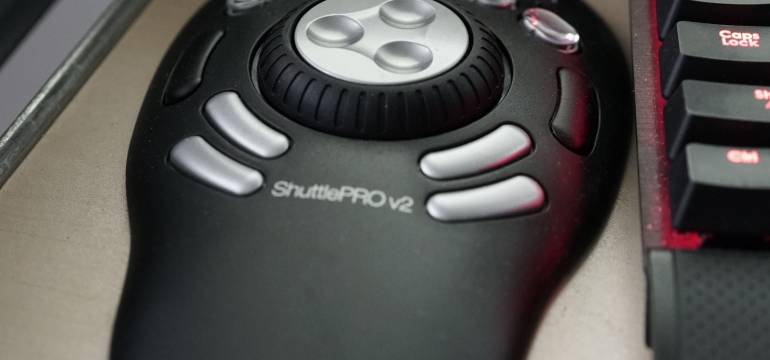
The first, most apparent difference is its heft:  heavier, and thus gripping the desktop better, it gives confidence in every click, where the ShuttleXpress might have rattled or slipped a bit.  But as you can see from the pictures, it’s gotta lot more buttons.  Lotsa.

user_guide_win_page_16

shuttlepro-v2The above illustration gives you some idea of the numerous Adobe Premiere functions that can be assigned to the ShuttlePRO’s dedicated buttons.  They can be re-assigned using a background task that has its own configuration interface, seen at right, which auto-selects from a variety of application profiles depending on what you are using at the time.  I suppose one minor qualm I’ve got is that it seems like the list needs a bit of tidying up:  in the example at right, you’ll see “Adobe Premiere CS&CC (Edit)” versus “Adobe Premiere (Clip Edit),” just to mention two examples, and who could know the difference?  It’s possible to delete some of those outdated entries manually, digging deep into the system disk, but it’s not possible from within that interface.  Apart from those presets (and Contour Design’s crowd-sourced presets at its forums), you can customize to your own preferences just as freely as you can map shortcuts inside of, e.g., Adobe Premiere.

dsc02731That opens up an interesting (but risky) world of possibilities when it comes to using the ShuttlePRO for more than just core video editing applications.  I’m working on a way to use it with a free program called Subtitle Edit, created in Denmark and arguably the very best subtitling/captioning application available anywhere (currently only for Windows computers).  This is the program that I mentioned a few posts ago when proposing that you can combine automatic captioning, with Subtitle Edit, to create subtitles at no cost in a fraction of the time it would take to make from scratch.  Making edits to captions/subtitles so that they can nail the beginnings and ends of words is a constant shuffling around time code, thus having the ShuttlePRO as a dedicated position controller frees up the other hand to get the mouse pointer where it needs to be, simultaneously.

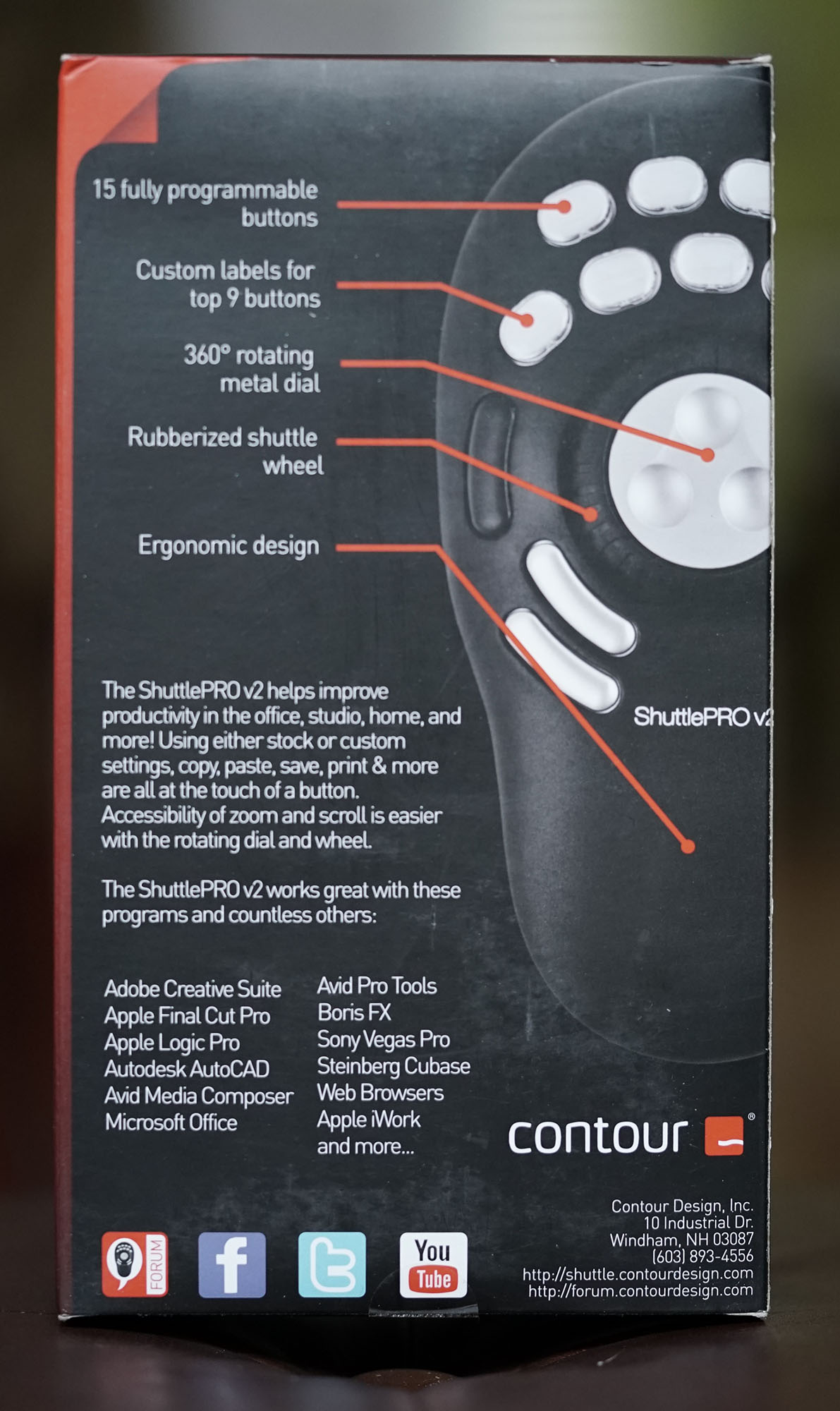
ShuttlePRO v2 comes with some button label inserts that you can use once you’ve decided on their best spots (and you’ll want to stick with ’em, because those caps don’t pop off easily).  It’s compatible with both Windows and Mac operating systems, most applications including Premiere/Final Cut/Avid, and attaches of course via USB 2.0. At $99, it’s an affordable investment when you consider the millions of clicks you’ll make just a bit faster and closer to where your hands already are, over a lifetime of editing.

December 22, 2016 FocusPulling Original 2 Comments
← Older posts
Newer posts →

Recent Posts

  • PGYTECH OneGo 2 Backpack Review
  • DJI Osmo 360 | touring Washington DC
  • PGYTECH OneMo 2: this might be your ultimate backpack
  • DJI RS 3: Essential accessories for the best all-around gimbal stabilizer
15,288Fans
2,939Followers
51Followers
333Followers
6,170Subscribers
588Followers
54Subscribers
722Subscribers

Subscribe to Receive New Posts (Low-Traffic)

Check your inbox or spam folder to confirm your subscription.

START HERE TO GET YOUR GEAR AT THE B&H STORE

B&H Search Banner Small
B&H Photo - Video - Pro Audio

Advertisement
  • RECENT REVIEWS AT FOCUSPULLING

The Latest from Your RigShots

Follow FocusPulling (.com)'s board RigShots on Pinterest.
© Copyright 2015 by Zen Violence Films LLC, all rights reserved. To read the site privacy policy and ethics statement, click here.